Linux & Windows desktop apps
Desktop software that actually feels finished.
Installed straight from the stores you already trust, sandboxed by default, and licensed once rather than rented.
- Linux — Ubuntu, Fedora, Debian, Mint, Arch and more
- Windows — 10 and 11
sudo snap install 4ktube
The numbers
Trusted by millions worldwide.
Published on the Snap Store and Flathub since 2021, and installed on desktops in every part of the world.
The catalogue
Every app is built to do one job, properly.
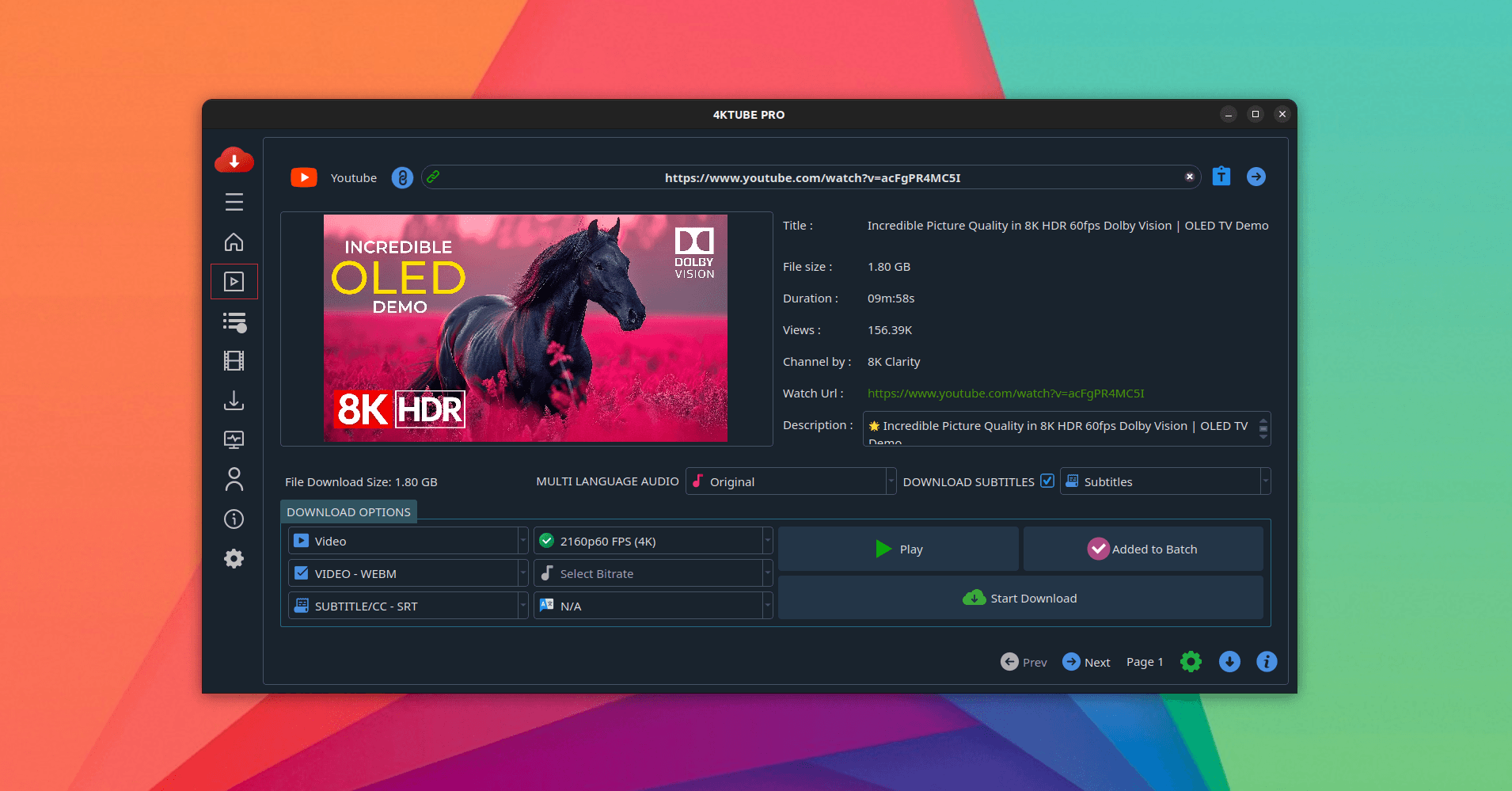
4KTUBE PRO
Download YouTube videos, whole playlists and audio-only tracks, up to 4K, with the format picked before the download starts.
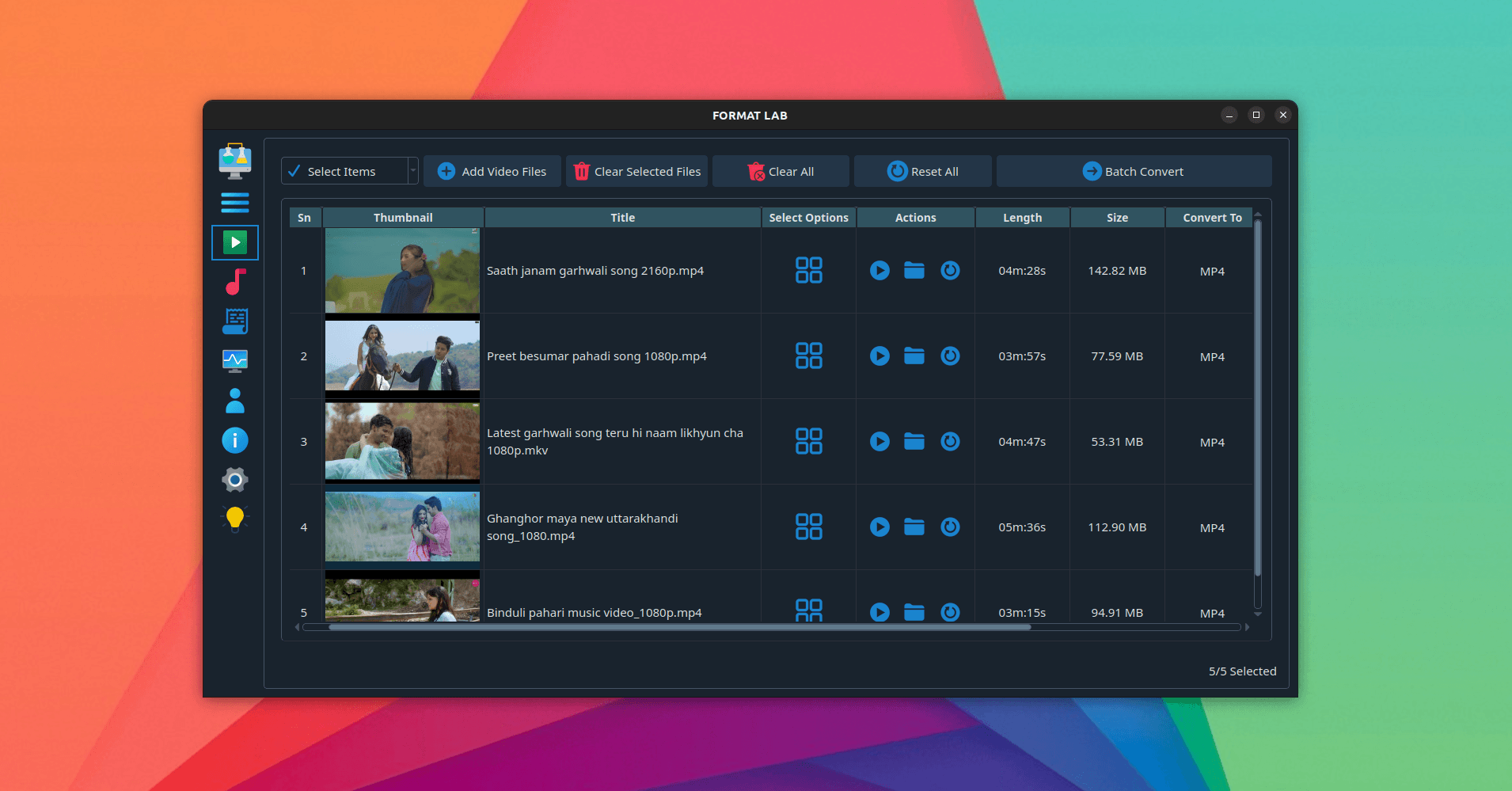
FORMATLAB PRO
Convert video and audio between a wide range of formats and codecs, with batch queues and presets instead of remembering flags.
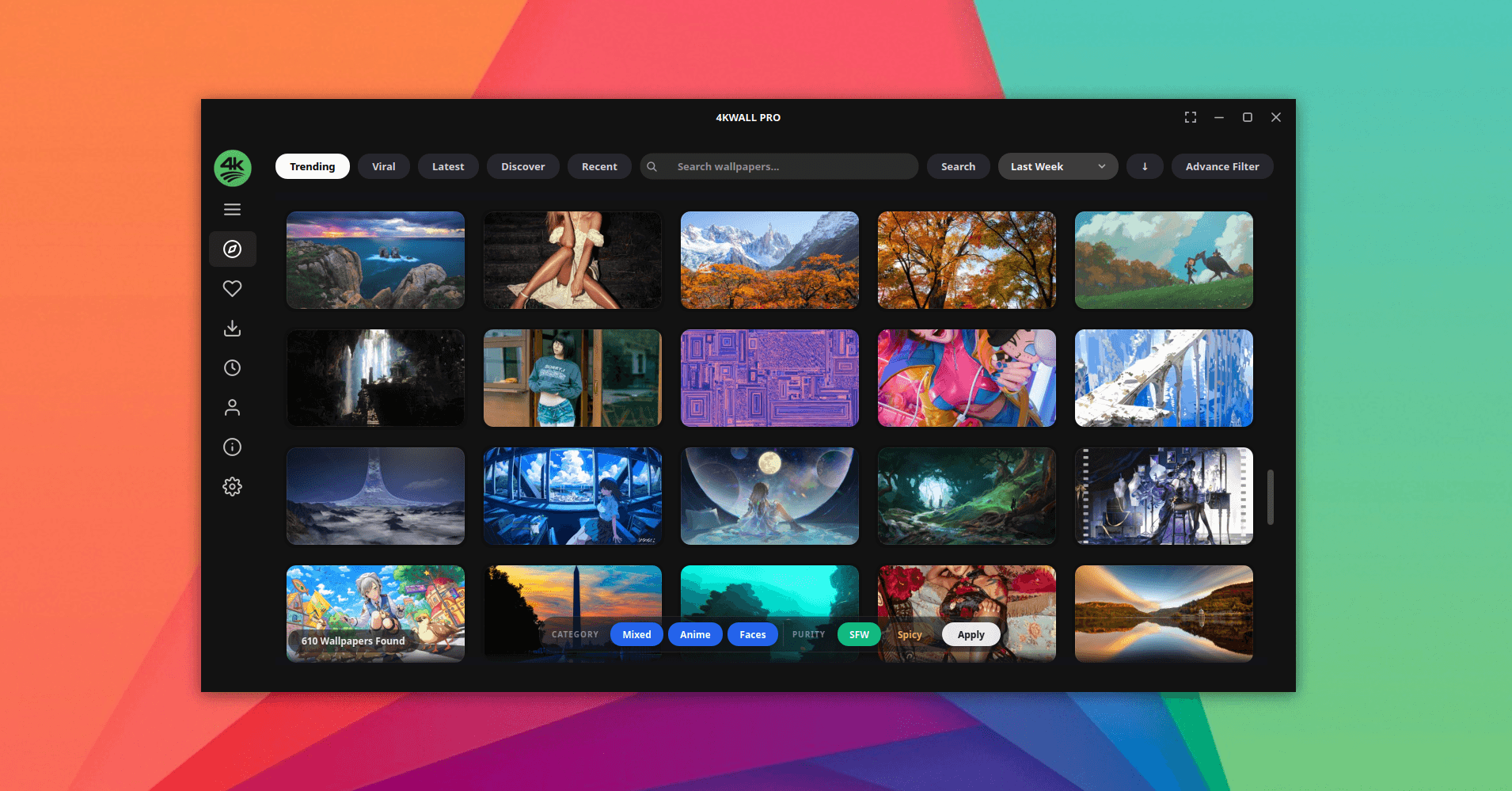
4KWALL PRO
Find and set high-resolution wallpapers without the browser detour — search, preview at full size, and apply straight from the app.
Buying software from a small studio
You should be sceptical. Here is what we can show you.
Trusting a small studio with your desktop is a real decision, and the burden of proof sits with us. These are the checks you can make yourself, up front.
Installed from the official stores
On Linux, every app is published under the Warlord Softwares publisher account on the Snap Store and Flathub — you install it the same way you install anything else, and updates arrive the same way. Windows builds come from us directly.
Confined, so it can't wander
On Linux the packages run under strict confinement — they reach your download folder and the network, and nothing else unless you grant it. On either platform, nothing about your files or your usage is sent anywhere.
Your licence follows you
Reinstalled your distro? Moved to a new machine? Sign in with your Account ID and restore the licence yourself. You never have to email us to get back what you already paid for.
Support goes to a real inbox
Use our contact form. Include your Account ID, the app name, and a brief description of the issue so we can help you as quickly as possible.
From the people using them
Words of praise from our users.
What people say after living with the apps for a while — from the store listings, and from the support inbox.
I download lecture recordings most weeks and the browser extension I used before kept dying halfway through anything over twenty minutes. Pick the format first, hit download, walk away. It has not failed on me yet.
Our projector only reads MP4 and I had a folder of MKVs. FormatLab chewed through the whole batch in one queue without me looking up a single ffmpeg flag. That alone paid for the licence.
Replaced a browser tab I had permanently open. Search, preview at full size, apply — and the automatic changer is the part I actually use every day. Only gripe is that the window does not remember its size between launches.
From install to activated
Three steps, and no account required to try it.
Install from the store
Install the app from the Snap Store or Flathub on Linux, or download and run the installer on Windows. Launch the app when the installation is complete.
See the appsYour Account ID is created automatically
No sign-in is required. The app automatically creates a unique Account ID on first launch. Keep it safe, as it's used to manage your licence.
Learn about Account IDPurchase and activate your licence
After purchasing, your licence is automatically linked to your Account ID. Simply activate it in the app to unlock all premium features.
Read the activation guideGood to know
Questions worth asking.
If yours isn't here, ask directly — send us a message and you'll get a reply from a person.
Which systems do the apps run on?
How do I know the download is safe?
Do I need to be online to use a licensed app?
What happens if I reinstall my system?
Is this a subscription?
Something isn't working. What do you need from me?
Built to earn your trust
Every app opens and runs from the moment it's installed, so you can see whether it does what you need — on your own machine, with your own files — before anything else.